• About Us
  • Privacy Policy
  • Terms and Conditions
  • Contact Us
Sunday, April 12, 2026
  • Login
Minecraft Resources
  • Home
  • TEXTURE PACKS
    • BY CATEGORY
      • PVP
      • REALISTIC
      • SIMPLISTIC
      • THEMED
    • BY RESOLUTION
      • 8x
      • 16x
      • 32x
      • 64x
      • 128x
      • 256x
      • 512x
      • 1024x
      • 2048x
      • 4096x
    • BY VERSION
      • 1.19.x
      • 1.18.x
      • 1.17.x
      • 1.16.x
      • 1.15.x
      • 1.14.x
      • 1.13.x
      • 1.12.x
  • SHADERS
  • MODS
  • MAPS
  • SKINS
  • DATA PACKS
  • BLOGS
No Result
View All Result
  • Home
  • TEXTURE PACKS
    • BY CATEGORY
      • PVP
      • REALISTIC
      • SIMPLISTIC
      • THEMED
    • BY RESOLUTION
      • 8x
      • 16x
      • 32x
      • 64x
      • 128x
      • 256x
      • 512x
      • 1024x
      • 2048x
      • 4096x
    • BY VERSION
      • 1.19.x
      • 1.18.x
      • 1.17.x
      • 1.16.x
      • 1.15.x
      • 1.14.x
      • 1.13.x
      • 1.12.x
  • SHADERS
  • MODS
  • MAPS
  • SKINS
  • DATA PACKS
  • BLOGS
No Result
View All Result
Minecraft Resources
No Result
View All Result
ADVERTISEMENT
Home BLOGS

Iris Shaders: The Ultimate Guide to Enhancing Minecraft’s Visuals

Usaib Mohd Khan by Usaib Mohd Khan
April 10, 2026
in BLOGS, MODS
Reading Time: 4 mins read
0 0
0
ADVERTISEMENT

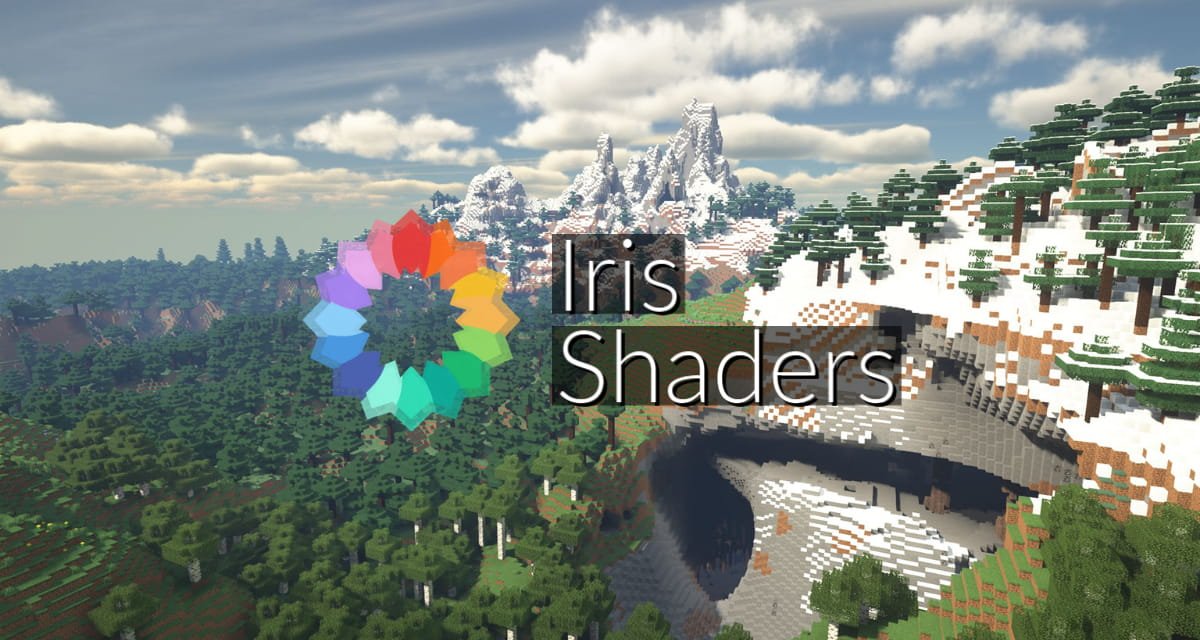
Iris Shaders is a modern, open-source shader mod for Minecraft Java Edition, designed to provide high-quality visuals with exceptional performance. Unlike traditional shader mods, Iris is built from the ground up to be compatible with the Fabric mod loader and works seamlessly with optimization mods like Sodium. This combination allows players to enjoy stunning graphics without compromising on frame rates.

ADVERTISEMENT

🌟 Key Features of Iris Shaders

1. Compatibility with Sodium

Iris is designed to work hand-in-hand with Sodium, a renowned optimization mod for Minecraft. This synergy ensures that players can enjoy enhanced graphics while maintaining high performance.

ADVERTISEMENT

2. Support for OptiFine Shader Packs

Iris aims for full compatibility with existing OptiFine shader packs, allowing players to use their favorite shaders without needing OptiFine itself. 

3. Open-Source Development

Being open-source, Iris encourages community contributions, leading to rapid development and continuous improvements. 

4. Performance-Optimized Shadows

Iris employs techniques like Shadow Frustum Culling to reduce the performance impact of shadows, ensuring smoother gameplay.


🛠️ Installing Iris Shaders

To install Iris Shaders:

  1. Download the Installer: Visit the official Iris website and download the universal installer.

  2. Run the Installer: Execute the downloaded .jar file.

  3. Select Minecraft Version: Choose your desired Minecraft version from the dropdown.

  4. Installation Type: Opt for “Iris & Sodium” to install both mods simultaneously.

  5. Install: Click “Install” to complete the process.

  6. Launch Minecraft: Open the Minecraft launcher and select the new Iris profile.

  7. Add Shader Packs: In-game, navigate to Options > Video Settings > Shader Packs, and add your preferred shader packs.
🔧 System Requirements

While Iris is optimized for performance, using shaders can be resource-intensive. Recommended specifications:

  • Graphics Card: Supports OpenGL 3.2 or higher.

  • RAM: 8GB or more.

  • CPU: Modern multi-core processor.

  • Operating System: Windows, macOS, or Linux.


🎨 Popular Shader Packs Compatible with Iris

  1. BSL Shaders: Offers a balance between performance and visual enhancements.

  2. Sildur’s Vibrant Shaders: Known for vibrant colors and dynamic lighting.

  3. Complementary Shaders: Provides a cinematic feel with realistic lighting.

  4. SEUS (Sonic Ether’s Unbelievable Shaders): Delivers high-quality visuals with realistic shadows and reflections.

These shader packs can be downloaded from reputable sources like CurseForge or Modrinth.Beebom


🧩 Mod Compatibility

Iris is built with mod compatibility in mind. It works seamlessly with many Fabric mods, including:

  • Sodium: Enhances performance by optimizing rendering.

  • Lithium: Improves game logic performance.

  • Phosphor: Optimizes lighting engine performance.

  • Indium: Ensures compatibility between Sodium and other mods.

This compatibility ensures that players can enjoy a modded Minecraft experience without sacrificing visual quality.


📈 Performance Comparison: Iris vs. OptiFine

In various benchmarks, Iris combined with Sodium has demonstrated superior performance compared to OptiFine. Players have reported higher frame rates and smoother gameplay, especially when using demanding shader packs.


🛠️ Troubleshooting Common Issues

  • Low FPS: Ensure that your graphics drivers are up-to-date and that no background applications are consuming excessive resources.

  • Shader Pack Not Appearing: Verify that the shader pack is placed in the correct folder (.minecraft/shaderpacks) and is compatible with your Minecraft version.

  • Game Crashes: Check for mod conflicts and ensure all mods are updated to their latest versions.


🌐 Conclusion

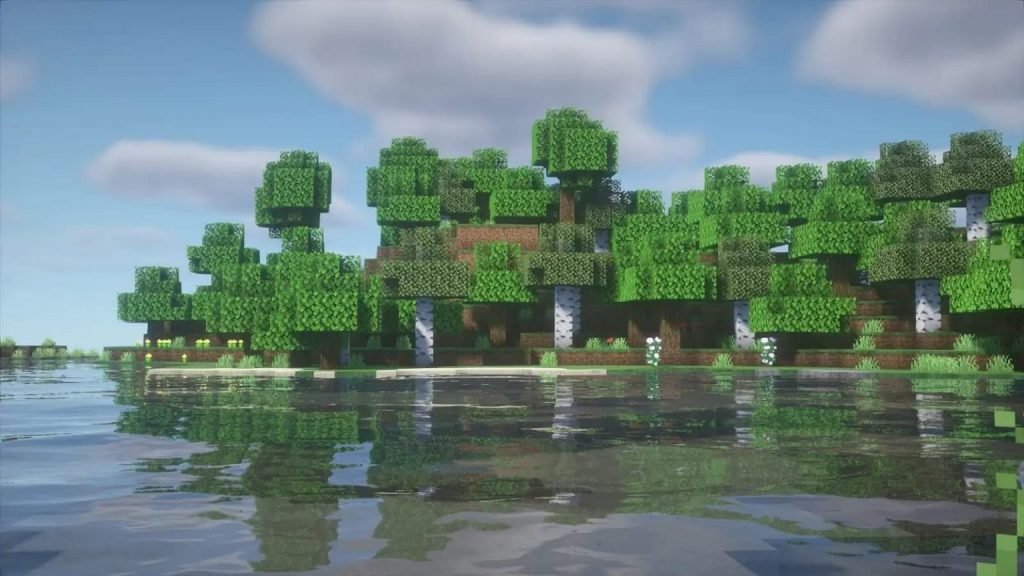
Iris Shaders stands out as a powerful tool for Minecraft players seeking enhanced visuals without compromising performance. Its open-source nature, compatibility with popular mods, and support for a wide range of shader packs make it a top choice for both casual players and modding enthusiasts.

By integrating Iris Shaders into your Minecraft setup, you can transform the game’s aesthetics, making your adventures more immersive and visually captivating.


ShareTweetShare
ADVERTISEMENT
Previous Post

Sodium Mod for Minecraft: The Ultimate Performance Optimization Guide

Next Post

OptiFine: The Ultimate Guide to Minecraft’s Performance and Visual Enhancement Mod

Usaib Mohd Khan

Usaib Mohd Khan

Related Posts

Top Minecraft Resource Packs for FPS Boost 2025 Edition (Download Links Included)

April 10, 2026
5

Distant Horizons: Expanding Minecraft’s Visual Frontier

April 10, 2026
11

OptiFine: The Ultimate Guide to Minecraft’s Performance and Visual Enhancement Mod

April 10, 2026
5

Sodium Mod for Minecraft: The Ultimate Performance Optimization Guide

April 10, 2026
6
Next Post

OptiFine: The Ultimate Guide to Minecraft's Performance and Visual Enhancement Mod

Leave a Reply Cancel reply

Your email address will not be published. Required fields are marked *

I agree to the Terms & Conditions and Privacy Policy.

No Result
View All Result

Categories

  • BLOGS (17)
  • MODS (7)
  • SHADERS (21)
  • TEXTURE PACKS (106)
    • BY CATEGORY (106)
      • PVP (78)
      • REALISTIC (33)
      • SIMPLISTIC (105)
      • THEMED (102)
      • UI (2)
    • BY RESOLUTION (106)
      • 1024x (15)
      • 128x (28)
      • 16x (50)
      • 256x (27)
      • 32x (21)
      • 512x (24)
      • 64x (19)
    • BY VERSION (106)
      • 1.12.x (92)
      • 1.13.x (90)
      • 1.14.x (105)
      • 1.15.x (105)
      • 1.16.x (105)
      • 1.17.x (105)
      • 1.18.x (105)
      • 1.19.x (105)
      • 1.20.x (105)
      • 1.21.x (105)

Recent.

Top Minecraft Resource Packs for FPS Boost 2025 Edition (Download Links Included)

April 10, 2026

Distant Horizons: Expanding Minecraft’s Visual Frontier

April 10, 2026

RedHat Shaders

June 12, 2025
  • About Us
  • Privacy Policy
  • Terms and Conditions
  • Contact Us

© 2024 MinecraftResources - Discover Ultimate Minecraft Resources

Welcome Back!

Login to your account below

Forgotten Password?

Retrieve your password

Please enter your username or email address to reset your password.

Log In
No Result
View All Result
  • Home
  • TEXTURE PACKS
    • BY CATEGORY
      • PVP
      • REALISTIC
      • SIMPLISTIC
      • THEMED
    • BY RESOLUTION
      • 8x
      • 16x
      • 32x
      • 64x
      • 128x
      • 256x
      • 512x
      • 1024x
      • 2048x
      • 4096x
    • BY VERSION
      • 1.19.x
      • 1.18.x
      • 1.17.x
      • 1.16.x
      • 1.15.x
      • 1.14.x
      • 1.13.x
      • 1.12.x
  • SHADERS
  • MODS
  • MAPS
  • SKINS
  • DATA PACKS
  • BLOGS

© 2024 MinecraftResources - Discover Ultimate Minecraft Resources

This website uses cookies. By continuing to use this website you are giving consent to cookies being used. Visit our Privacy and Cookie Policy.